
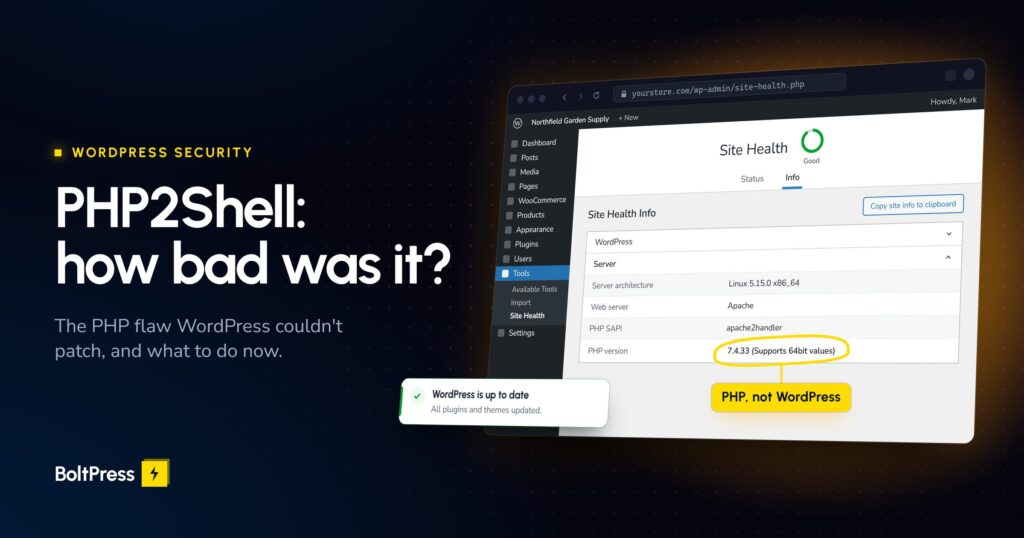
In 30 seconds (as of 2026-10-22). PHP2Shell is a pair of critical flaws in PHP itself (CVE-2026-109618 and CVE-2026-109619), not in WordPress, so no WordPress or plugin update fixes it. The fixed releases are PHP 8.2.35, 8.3.36, 8.4.27 and 8.5.12, and your host has to install them and restart PHP. 35.8% of WordPress sites run PHP 8.1 or older, which got no new official release. Exposed is not hacked: attack attempts run into the millions, but nobody has published a count of compromised sites.
If you run a business site or a WooCommerce store, here is what happened, what the evidence says about the damage, a five-minute check, and what to do now. Every claim is dated and sourced.
What happened, and when?
Two flaws in PHP’s core let an attacker run code on a server, or read leaked memory, without logging in. PHP rates them 9.2 (CVSS v4.0), the US National Vulnerability Database 9.8 (CVSS v3.1). Details leaked early, and the fixes shipped on 21 October. Times are UTC.
- 17 October: Amazon’s honeypots record the first exploitation attempt, four days before disclosure (AWS).
- 20 October, around 15:00: the CVE IDs and a wrong severity score circulate ahead of the coordinated release (The Register).
- 21 October, 03:02: Cloudflare’s firewall rules go live on all plans, Free included (Cloudflare).
- 21 October, about 14:00: PHP releases 8.5.12, 8.4.27, 8.3.36 and 8.2.35 (php.net). PHP 7.4, 8.0 and 8.1 get only “minimal source-backports” (php.net), and 7.3 and older get nothing (Tenable).
- 21 October: WordPress.org: “No WordPress update is required or planned for these issues” (WordPress.org).
WordPress is squarely in scope: Wiz demonstrated code execution against the standard wordpress:latest image, and says leaked memory “may contain” passwords, tokens and API keys (Wiz).
How badly were websites affected?
As of 22 October: a very large number of exposed servers, millions of attack attempts, a lot of precautionary downtime, and no public count of compromised sites. In short: widely exposed, heavily probed, damage not yet measured.
How many WordPress sites were exposed?
We pulled WordPress.org’s own PHP statistics on 22 October 2026 (WordPress.org stats API). Of the sites that report to WordPress.org (figures rounded):
- 64.2% run PHP 8.2 or newer: fixed upstream, but exposed until the host installed the update and restarted PHP.
- 30.2% run PHP 7.4, 8.0 or 8.1 (7.4 alone is 15.9%): no new official release, so protected only if the host or Linux distribution applied a backport.
- 5.3% run PHP 5.4 to 7.3: no fix from PHP at all.
- 0.4% run something older than 5.4, which predates the affected code.
That puts 35.8% of WordPress sites on PHP 8.1 or older, roughly 1 in 3. Two caveats: the data covers only sites that report to WordPress.org, and many hosts backport fixes without changing the version number (Ubuntu did), so the number alone does not prove a site is exposed.
Across the wider internet, Recorded Future’s analysis of VirusTotal data puts it at over a million internet-facing PHP servers that show their version, more than half of them on branches with no new official release (about 758,000 of 1.1 million) (Recorded Future).
Downtime: the damage you could actually see
The most visible harm so far is sites taken offline on purpose while hosts patched.
- German host netcup took its webhosting offline on 21 October and restored service from 22:51 CEST, local time (severint); bitpage reports all of it back by 23:45 CEST and says Swiss host cyon took all its sites offline too (bitpage).
- In the Netherlands, the DigiD, MijnOverheid and Tweede Kamer websites went offline as a precaution (VRT), along with about 100 municipal council information systems (Appfront).
- The developers of The SEO Framework, a popular WordPress SEO plugin, took their own servers offline (Patchstack).
Attempts versus compromises
Attempts are certain and huge. Cloudflare’s CEO counted “tens of thousands in the 45 minutes post announcement, hundreds of thousands within 2 hours, and millions now” (SecurityOnline). Whether any worked is much less clear, and the sources say so themselves:
- AWS: “it’s unclear if any of these attempts would have succeeded in real-world systems”. The same post says “PHP2Shell is now being broadly exploited in the wild” (AWS).
- Patchstack, 07:34 UTC on 21 October: “Multiple active exploitation incidents reported to Patchstack by hosting partners.” Then at 13:57 UTC: “only probing attacks, with no hard evidence of breaches yet” (Patchstack).
- CISA: it “has not observed exploitation of these vulnerabilities as of the time of publication” on 21 October (CISA). As of 22 October, neither CVE is in CISA’s Known Exploited Vulnerabilities catalog (version 2026.10.21).
- Sansec, updated 22 October: “The public exploits do not work against a default PHP installation” (Sansec).
Exposed is not hacked. History points to a slower risk. An earlier PHP flaw, CVE-2024-4577, was used by ransomware about two days after its patch (SecurityWeek), and a mass wave followed about seven to eight months later (GreyNoise). If history repeats, the servers that get hit will be the ones still unpatched months later.
Why didn’t updating WordPress or my security plugin fix it?
Because the flaw is one layer down. WordPress, its plugins and your security plugin are all programs that PHP runs, and PHP is installed on the server by your host or server admin. WordPress cannot update it, so your dashboard can be fully up to date while the PHP under it is not.
On Apache’s mod_php, the riskiest setup, the attack works “before any application code runs” (php.net), so a security plugin never sees the request. Who patches what:
- WordPress core, plugins and themes: you, your developer, or auto-updates.
- PHP on shared or managed hosting: your host, and only your host.
- PHP on a VPS or dedicated server: whoever manages the server, often you. As of 12:12 UTC on 22 October, GoDaddy VPS and Namecheap VPS and dedicated customers had to update PHP themselves (Meow Apps tracker). Laravel Forge says its automatic security updates “do not patch PHP” (Laravel Forge).
Am I affected? A 5-minute check
Note the PHP version WordPress reports, compare it with the fixed releases, then get your host’s answer in writing, because the number alone cannot show a backport or a restart.
- In WordPress, go to Tools, Site Health, Info, open Server and note the PHP version. Don’t rely on
php -v, which is often a different build from the one serving your site (mySites.guru). - Compare it with the list below.
- Ask your host to confirm the fix and the PHP restart in writing. The email below does that.
- Optional: run our free WordPress scan to see what your server reveals from the outside.
What your version means:
- 8.2.35, 8.3.36, 8.4.27, 8.5.12 or higher on the same branch: reports a patched release, as long as PHP was restarted.
- 8.2 to 8.5, but lower than those: ask your host. Many patch without changing the number.
- 7.4, 8.0 or 8.1: fixed only if your host or distribution applied a backport. Ask.
- 7.3 or older: no fix exists. Plan an upgrade.
What should I do, depending on my hosting?
It depends on who controls PHP on your server. On managed or shared hosting you ask and get the answer in writing. On a VPS, you or your server admin patch and restart.
- Managed or shared hosting: your host patches PHP; the big managed hosts moved quickly. Send the email below anyway, staging sites included, and on PHP 8.1 or older ask specifically about a backport.
- VPS, Forge or your own server: update PHP for every installed version, make sure PHP-FPM or Apache restarted, and restart long-running PHP workers (Laravel Forge). Remember old staging servers.
- Behind Cloudflare: its rules only protect you if your server refuses traffic that does not come through Cloudflare (Patchstack). Treat it as a stopgap.
Copy this email to your host
Subject: PHP2Shell (CVE-2026-109618 / CVE-2026-109619): please confirm status for [your domain]
Hi, my site [your domain] runs PHP [version] according to WordPress Site Health. Could you confirm in writing: (1) whether the PHP build serving my site includes the fix for CVE-2026-109618 and CVE-2026-109619 (release or backport, and which package version), (2) that PHP-FPM or Apache was restarted after patching, and (3) if my PHP branch is end-of-life, which supported version you recommend I move to? Thank you.
Is upgrading PHP risky for my site or store?
It can be, and that is the hidden risk here. For about a third of WordPress sites the lasting fix is to leave PHP 8.1 or older, and a big PHP jump is exactly the update that breaks old plugins and themes, often at checkout.
So copy the site to staging, switch PHP there, place a real test order, then switch the live site with a rollback ready. Aim past 8.2: its security support ends on 31 December 2026 (php.net). If today’s mix holds, about 59.6% of WordPress sites will be on end-of-life PHP on 1 January (our projection from the same WordPress.org data). If the site is years behind on everything, a full update catch-up is safer than a PHP switch alone.
Were you hit? Signs to check since 17 October
Most sites were not. But if your server ran unpatched PHP since 17 October, a short look is worth it; AWS advises investigating “from at least starting on October 17th”. Look for:
- Administrator accounts you do not recognise.
- Plugins you did not install, including a “Must-Use” tab on the Plugins screen you never set up.
.phpfiles insidewp-content/uploads, which should hold only media.- A recently changed
wp-config.phpor.htaccessfile. - New scheduled tasks (cron jobs) in your hosting panel.
- Spam pages or odd redirects when you search Google for
site:yourdomain.com.
As a precaution, change admin and hosting passwords, and rotate the security keys in wp-config.php (this logs everyone out) and any payment or email API keys stored on the site. If anything turns up, get help: our hacked-site fix covers the cleanup, and the real cost of a hacked WordPress site explains why it is worth doing properly. If nothing does, a security hardening pass closes the common doors for next time.
How do you stop this being your problem next time?
Watch the layer under WordPress as well as the plugins on top, and test every update. That is BoltPress Security, included in every BoltPress care plan for businesses running WordPress and WooCommerce.
Every day it checks each site’s PHP version against security releases and end-of-life dates, and its database server against its end of life, and matches plugins, themes and core against a vulnerability database. If something needs action, you get a plain-English alert that says what to do. When an issue like PHP2Shell lands, every client gets one advisory with the status of each site. Updates run with a backup first and a health check after, and roll back automatically if the check fails. When the server needs a patch, you get a ready-to-send message for your host. A PHP upgrade is hands-on work: it uses your plan’s work hours once you approve it, or you can book the fixed-price PHP upgrade fix.
See what BoltPress Security covers · Get a PHP upgrade done properly · Run the free scan
Updates
- 2026-10-22: Published. Neither CVE is in CISA’s KEV catalog (version 2026.10.21), no count of compromised sites has been published, and the WordPress.org PHP figures were pulled the same day.
We add a line here only if the CVEs join CISA’s KEV catalog or a mass compromise is confirmed. After 30 November 2026 this post will not be updated.
Frequently asked questions
Do I need to update WordPress for PHP2Shell?
No. The flaws are in PHP, and WordPress.org says no WordPress update is required or planned. The fix is a PHP update on the server (8.2.35, 8.3.36, 8.4.27 or 8.5.12, or a backport), installed by your host or server admin and followed by a PHP restart.
My site was on an old PHP version. Was it hacked?
Not necessarily. Exposed is not hacked. As of 22 October 2026 there were millions of attack attempts but no public count of compromised sites. If your server was unpatched after 17 October, run the checks in this post and rotate passwords and keys as a precaution.
My host says it patched PHP, but Site Health still shows the old version. Why?
Many hosts and Linux distributions backport the fix into the version you already run, so the number does not change. That is why the version alone proves nothing either way. Ask your host to confirm in writing which package has the fix and that PHP was restarted.
Does a security plugin or Cloudflare protect me from PHP2Shell?
A security plugin cannot, because on mod_php the attack works before any application code runs. Cloudflare’s rules help only if your server accepts traffic from Cloudflare alone. Both are stopgaps; the fix is patched, restarted PHP.
Should I upgrade from PHP 7.4 or 8.1 now?
Yes, plan it now and aim for PHP 8.3 or newer, because PHP 8.2’s security support ends on 31 December 2026. Test on a staging copy first, place a real test order, and keep a rollback ready before switching the live site.
Written by the BoltPress team, engineers who fix and maintain WordPress and WooCommerce sites for businesses.