
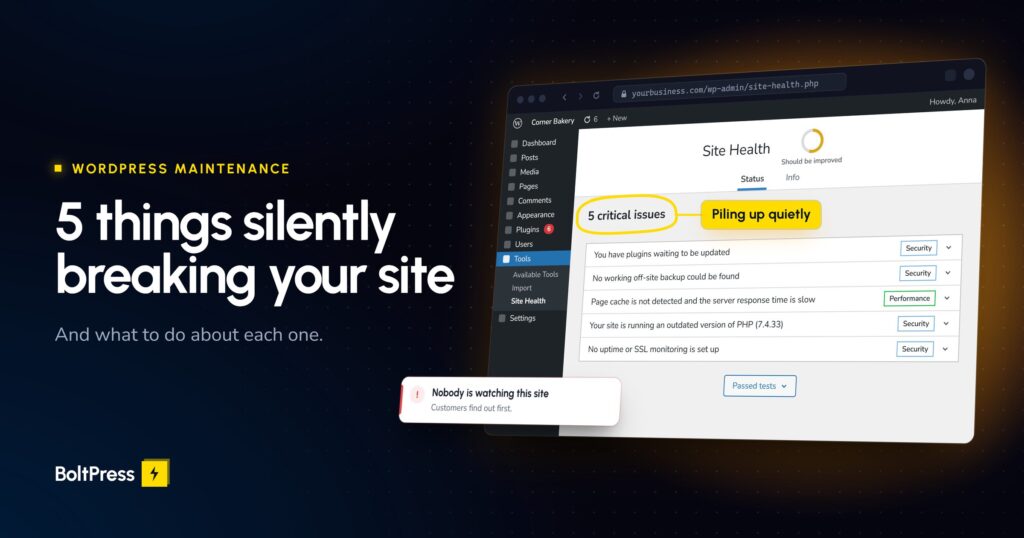
Most WordPress site owners don’t know there’s a problem until customers start complaining. Or disappearing. Here are the five most common issues we find when auditing sites, and what to do about each one.
Every week, we run technical audits on dozens of WordPress sites. The pattern is always the same: the site looks fine on the surface, but underneath, things are quietly falling apart.
These are the five issues we find on nearly every unmanaged WordPress site.
1. Outdated Plugins With Known Vulnerabilities
That contact form plugin you installed three years ago? It’s had six security patches since then. You’ve applied zero of them.
WordPress plugins are the number one attack vector for hacked sites. This isn’t sophisticated hacking. It’s automated bots scanning the internet for sites running outdated plugins with publicly listed vulnerabilities. Your site is either patched or it’s a target. There’s no middle ground.
A single compromised plugin can give attackers full access to your database, your customer data, and your server. We’ve seen WooCommerce stores lose weeks of orders because a neglected plugin let someone inject malicious code into the checkout flow.
Update plugins weekly. But don’t just click “update all” blindly. Test updates on a staging environment first, because plugin updates can break things too. If you don’t have a staging environment, that’s a problem in itself.
2. No Working Backup (Yes, Really)
“My hosting provider does backups.” We hear this constantly. Then we ask: have you ever tested a restore? The answer is almost always no.
Hosting backups are often incomplete, retained for only a few days, or stored on the same server as your site. If the server goes down, your backups go with it. That’s not a backup. That’s an illusion of safety.
Without a verified, off-site backup with at least 30 days of retention, a single bad update or server failure could wipe out your entire site with no way back. Set up automated daily backups to a separate location. Test a full restore at least once a quarter. If you can’t restore your site from scratch in under an hour, your backup strategy needs work.
3. Your Site Is Slower Than You Think
You load your own site every day, so your browser has most of it cached. Try opening it in an incognito window on a mobile connection. That’s what your visitors actually experience.
Google’s Core Web Vitals directly affect your search rankings now. A site that scores below 50 on PageSpeed Insights is actively losing you traffic. We regularly audit sites where the owner had no idea their pages were taking 6-8 seconds to load.
For eCommerce sites, the impact is even more direct. Slow load times mean abandoned carts. Google penalises slow sites in search results on top of that, so you’re losing visitors you never even see.
Run your site through WordPress Audit right now. If your mobile score is below 70, you have work to do. Common culprits: unoptimised images, too many plugins, no caching layer, render-blocking scripts, and cheap shared hosting that buckles under real traffic.
4. PHP and WordPress Core Are Out of Date
WordPress core updates and PHP version upgrades aren’t just about new features. They contain security patches and performance improvements. Running an outdated PHP version is like leaving your front door open because you didn’t want to deal with the new lock.
We regularly find sites running PHP versions that have been end-of-life for years. No security patches, no bug fixes, just a ticking clock.
Outdated PHP versions have known, publicly documented vulnerabilities. Pair that with an outdated WordPress core and you’ve got an easy target that’s also running slower than it should. Newer PHP versions are significantly faster, so upgrading is a free performance win.
Check your PHP version in your hosting control panel. If you’re below PHP 8.1, plan an upgrade. Just test thoroughly first, because older plugins and themes sometimes aren’t compatible with newer PHP versions.
5. Nobody Is Watching
This is the most dangerous one on the list.
If your site goes down at 2 AM, when do you find out? If someone injects malware into your footer, how long until you notice? If your SSL certificate expires, who’s checking?
Most small business owners find out about site problems from their customers. That’s the worst possible way to discover your site is broken.
Downtime and security breaches that go undetected for days or weeks cause real damage. Every hour your site is compromised is revenue lost and trust burned. The longer it goes unnoticed, the harder and more expensive the fix.
At minimum, set up uptime monitoring (there are free tools for this) and Google Search Console alerts. Better yet, have daily security scans, SSL monitoring, and performance tracking running so you catch problems before your customers do.
The Common Thread
All five of these problems are invisible until they cause real damage. Your site can look perfectly fine while being vulnerable, slow, unprotected, and completely unmonitored.
This is why WordPress maintenance exists as a service. It’s not glamorous work. But it’s the difference between a site that quietly makes you money and one that quietly costs you money.